

New to OAuth 2.0? Check out these generic guides before diving in:
- OAuth 2 Explained In Simple Terms — ByteByteGo video (4:30)
- What is OAuth 2.0? — Auth0 written guide
Already have an API key? If you only need to automate your own Qonto account, you may not need OAuth at all. Check the authentication introduction to pick the right method for your use case.
Step by step
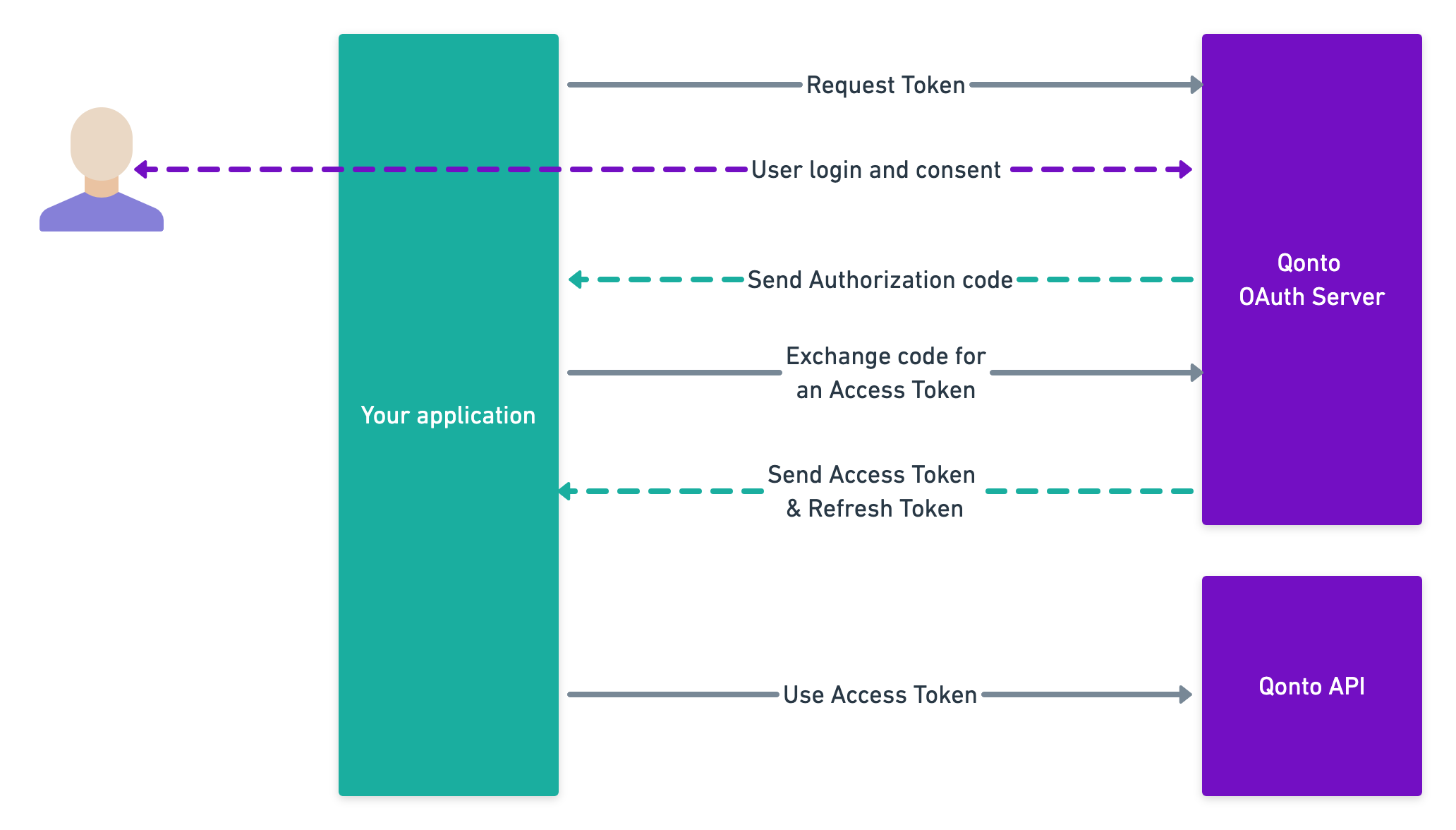
Authorize
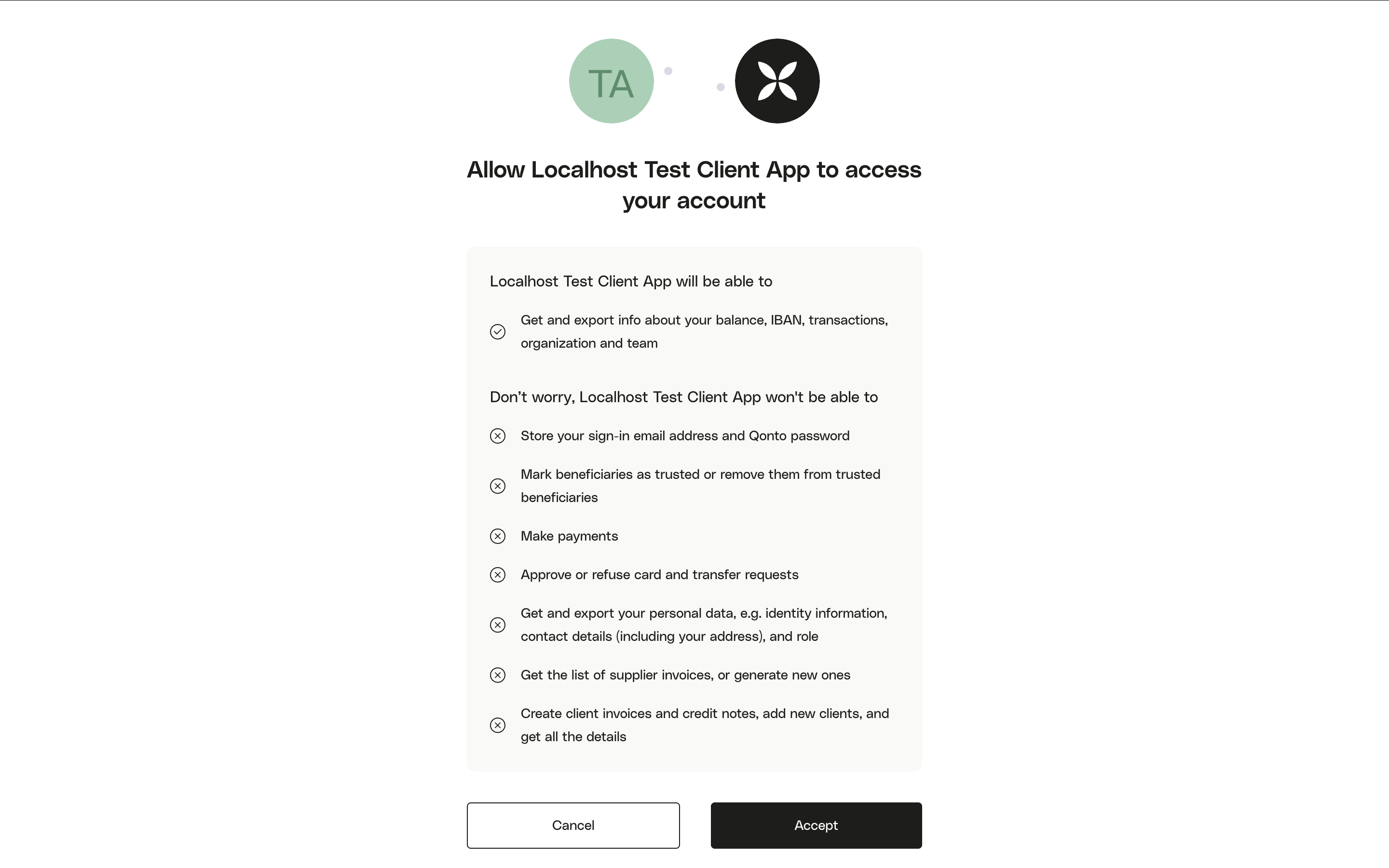
The first step is to redirect the user to the Qonto OAuth server. The Qonto user will be invited to authenticate.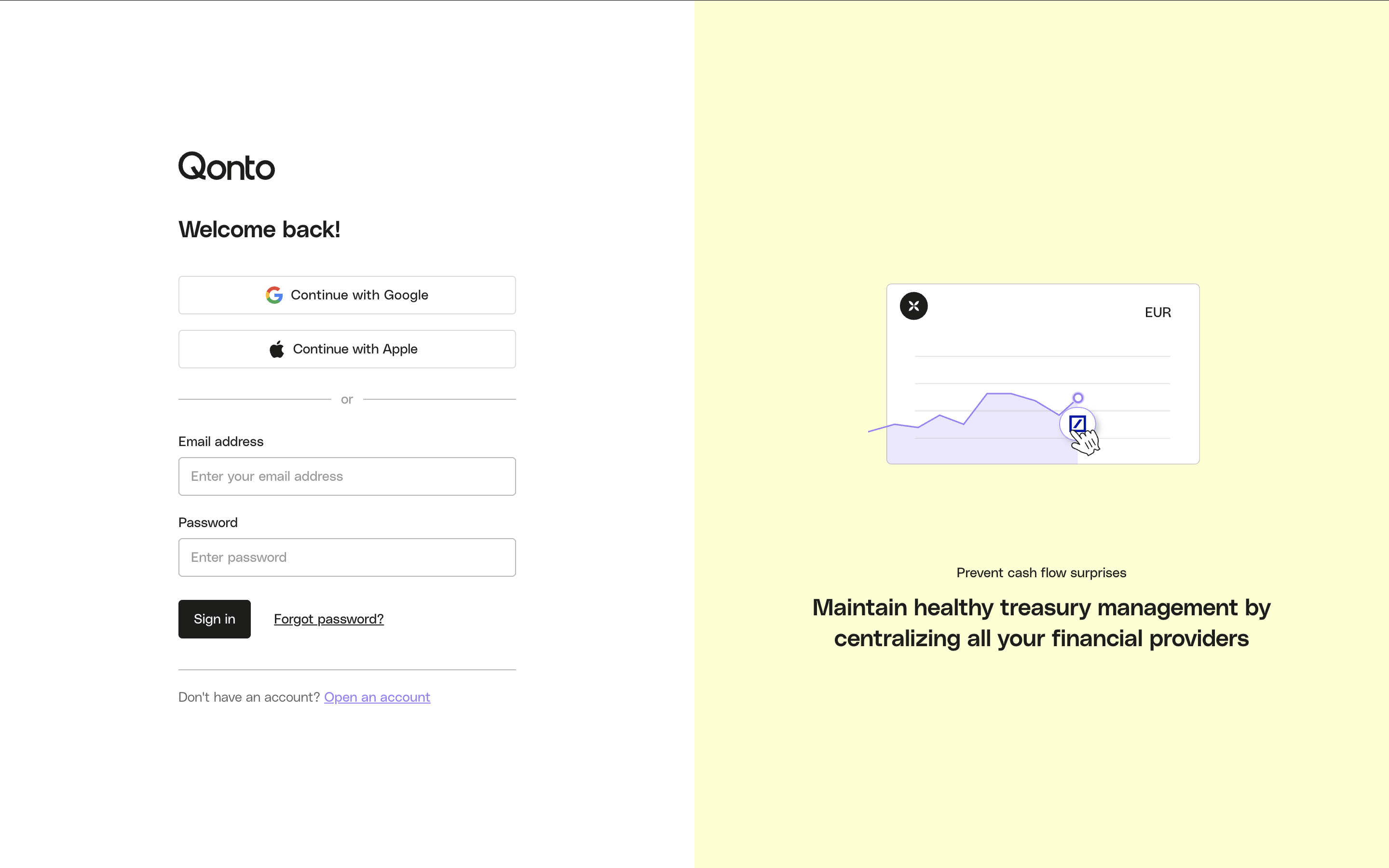 Then they will have to allow your application to access one of the organizations they are part of.
 cf. this endpoint for a full technical description of the query parameters.After consent, Qonto redirects the user to your
Then they will have to allow your application to access one of the organizations they are part of.CSRF protection with
state: Generate a unique, unpredictable value (e.g. a random 32-byte hex string), include it in the authorization URL as state, and store it in the user’s session. When the user is redirected back to your redirect_uri, verify that the received state matches what you stored. Reject the flow if they differ — this protects against cross-site request forgery.Optional: restrict org selection. You can pass
organization_id to lock the flow to a specific organization, or registration_id to pre-select an org from the onboarding flow. In both cases the org selection screen is skipped.- cURL
- Python
- Node.js
redirect_uri with a temporary code and the state you provided:
https://your-app.com/callback?code=AUTH_CODE&state=YOUR_STATE- 400 invalid_grant
- 404
Invalid
client_id or redirect_uri in the authorization request.Exchange the authorization code for an access token
Once user has granted access to his account, he will be rederected to your application via your The response contains an cf. API reference for full parameter details.
redirect_uri with a temporary authorization code.On your backend, you will have to exchange this code for an access_token.- cURL
- Python
- Node.js
access_token (valid 1 hour) and, if offline_access was requested, a refresh_token (valid 90 days).Store the
refresh_token securely — use it to obtain new access tokens without user interaction. See the Refresh token endpoint.Error responses
- 400 invalid_request
- 400 invalid_client
- 400 invalid_grant
- 400 invalid_scope
Causes: Missing required parameter (
code, client_id, client_secret, redirect_uri, or grant_type), or wrong Content-Type header (must be application/x-www-form-urlencoded).Use your access token
To perform authenticated requests on the Qonto API, you will have to provide the
access_token in the Authorization header, as describe in this example:- cURL
- Python
- Node.js
Refresh your access token
The Token lifecycle at a glance:
As long as you refresh before the 90-day window closes and correctly store the latest
access_token expires after 1 hour. Rather than restarting the entire OAuth flow, use the refresh_token to obtain a new one silently on your backend.- cURL
- Python
- Node.js
| Token | Lifetime | What to do when it expires |
|---|---|---|
access_token | 1 hour | Use refresh_token to get a new one — no user action needed |
refresh_token | 90 days | Restart the OAuth flow (user must re-authorize) |
refresh_token after each call, your integration will run indefinitely without requiring user re-authorization.For full parameter details and error responses, see the Refresh token endpoint.Resources
- If you need to understand better the OAuth flow: Postman visual flow.
- If you need more details about OAuth 2.0: Official documentation.
- Testing in the sandbox? See the Sandbox guide.